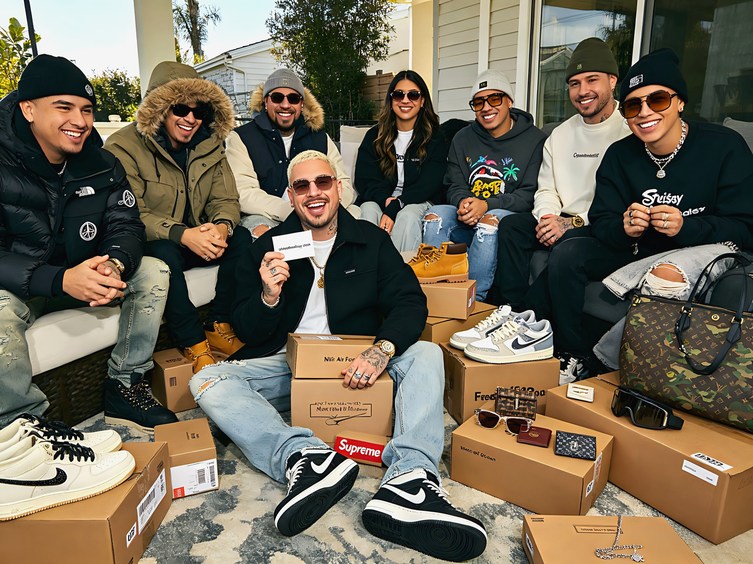
A curated handful from the wider catalog. Tap any item to view all photos, colorways and the up-to-date price. CNY is the base currency; USD is approximate.
Listings link through our partner network — we may earn a commission at no extra cost to you. Prices updated 2026 and can vary at checkout.
QC Cost
Free
No extra charge
Standard
3–5 photos
Per item
Timing
After arrival
Before you authorise ship
Overview
Superbuy's QC photo system is one of its core features. When items arrive at Superbuy's warehouse, staff photograph them and upload the images to your order dashboard. You review these photos and decide whether to accept — proceed with shipping — or reject — request replacement or refund — before the item is shipped internationally.
The QC photo review step is the single most important quality control point in a Superbuy order. Once you authorise shipment, your ability to dispute quality issues drops significantly. Treat every QC photo review as a genuine inspection opportunity rather than a formality to click through.
Standard QC photos typically include the overall item front and back, close-up of logo and branding elements, sole or base if applicable, size label, and detail elements specific to the item type. If these angles are insufficient for your assessment, you can request additional photos at no extra charge.
For rep shoes specifically, the key angles to verify are swoosh placement and font on Nike items, heel tab accuracy, sole curvature and shape, toe box proportions, and size label accuracy. Compare against a reference image of the authentic item at the same angle before approving.
For clothing, the critical photos are: logo or graphic close-up to check for embroidery versus print quality and font accuracy, tag photography showing brand and size labels, and a full item lay-flat for scale and proportion assessment.
The accept or reject decision has real consequences. Accepting a poor-quality item means you are shipping it and dealing with the disappointment at home. Rejecting enables you to request a replacement from the seller or a partial refund depending on the severity of the issue. When in doubt, request additional photos before deciding — Superbuy staff accommodate this as a standard part of the process.
What to Check by Item Type
Item
Primary Check
Secondary Check
Critical Detail
Shoes
Logo placement + font
Sole unit shape
Hoodies
Embroidery vs print
Cotton fabric weight
Bags
Hardware quality
Canvas or leather texture
Accessories
Logo accuracy
Metal finish quality
How to Review QC Photos
01
Review all standard photos systematically
Check each provided photo — front, back, logo close-up, label. Identify any concerns before deciding whether to request additional photos or proceed to accept or reject.
02
Request additional angles if needed
If any element is unclear or shot from an unhelpful angle, request additional photos. This is standard practice and adds no cost. Always request the specific angle you need rather than a general re-shoot.
03
Compare against an authentic reference
Have the authentic item reference image open alongside the QC photos. Compare logo placement, proportions, and construction details directly. Side-by-side comparison catches issues that memory alone misses.
04
Make your accept or reject decision with confidence
Accept if all quality criteria pass. Request replacement if there is a clear defect. Conditional accept if there is a minor issue you are willing to live with. Never authorise shipment on an item with photos you have not fully reviewed.
Community Feedback
"Always request an additional close-up of the swoosh on Nike hauls. The standard photos do not always show it clearly enough for a reliable assessment. Superbuy staff always accommodate this — it is a five-minute request that has saved several bad orders." — community member
Related Guides
QC photos are your only opportunity to catch quality issues before an item ships internationally — getting this right is worth more than any fee saving. The QC photo guide tool is the most relevant next read — and the haul guide covers how QC timing fits into the overall haul consolidation workflow.
Also worth checking: Superbuy spreadsheet guide (finding verified rep links that have QC documentation before you even order), the Superbuy 2026 review (how Superbuy's QC system compares to other agents overall), and the Superbuy vs Pandabuy (QC photo quality comparison between the two most popular rep agents).
Superbuy QC photo reviews surface a predictable set of recurring issues across item categories. Knowing what commonly appears helps you evaluate photos more efficiently and make better accept or reject decisions.
For rep shoes, the most common QC issues are: subtle swoosh curvature differences from authentic, toe box height variations, sole unit colour drift (particularly on icy or translucent soles), and minor thread inconsistencies on the upper stitching. Most of these are batch-level characteristics rather than individual item defects — if the batch has a known toe box issue, your QC photos will show it, and comparing against the community documentation for that batch tells you whether you are seeing a typical example of that batch or an outlier.
For clothing, the most common issues are: logo embroidery that looks slightly raised or flat versus the authentic reference, minor GSM differences visible as fabric drape in lay-flat photos, tag font inconsistencies, and off-shade colourways. The colourway issue is partially a photography problem — different warehouse lighting conditions can make a colourway appear different from both the authentic and from your expectations based on listing photos.
A practical tip for colourway assessment: when comparing QC photos against authentic reference images, adjust for the fact that QC photos are taken under warehouse fluorescent lighting that tends to shift warmer colours slightly and flatten contrast. If the colourway looks close but slightly washed out in QC, that is often the lighting rather than the item itself.
For items where the standard QC photos are genuinely insufficient — typically because a critical element is not covered in the standard angles — the right action is always to request additional photos before making the accept or reject decision. The small time cost of requesting extra photos is far lower than the cost of accepting a defective item and shipping it internationally.
QC Request Wording That Works
When requesting additional Superbuy QC photos, be specific about what you need. Instead of "more photos", request: "Please provide a close-up of the swoosh on the lateral side" or "Please photograph the sole from directly behind the heel". Specific requests get useful photos faster than general ones.
Reading QC Photos Effectively
QC photo evaluation is a skill that develops with practice, and most new buyers underestimate how much there is to learn. The first thing to check in any QC photo set is consistency — do all photos show the same item, or are there lighting and angle inconsistencies that suggest the photos were not all taken in sequence? Genuine QC photos show the same item from multiple angles in a consistent environment. Inconsistencies warrant clarification before approving.
For shoes specifically, the evaluation sequence most experienced buyers follow is: sole first, then upper, then inside, then detail shots. The sole photo often reveals the most information about construction quality — stitch density, sole bond quality, and material texture are all visible in a good sole photo. Upper photos reveal shape accuracy. Interior photos confirm lining quality and tag accuracy for those who care about internal accuracy.
Requesting additional QC photos is normal and appropriate for high-value items. Most agents provide a standard package and will shoot additional angles for items above a certain value threshold. For items where you have specific quality concerns based on community reports — a known batch issue, a specific detail that often fails in a particular model — ask for a targeted photo that addresses exactly that concern. Good agents accommodate specific QC requests efficiently.
Our Bottom LineThe QC photo review is the single most important step in a Superbuy order. Take it seriously — request additional photos when uncertain, compare against authentic reference images, and never authorise shipment on items with visible quality issues or unclear photos.
Ready to Start Your Haul?
Browse current listings for rep shoes and clothing.
Superbuy QC photos are photographs taken by warehouse staff when items arrive at Superbuy's warehouse. You review these photos before authorising shipping, giving you a quality check opportunity before the item is in international transit.
Yes — requesting additional photos is standard practice and Superbuy staff accommodate it at no extra cost. If standard photos do not clearly show the elements you need to evaluate, always request more specific angles.
If you reject an item after QC review, you can request the seller send a replacement or request a partial or full refund depending on the severity of the issue. Resolution speed varies by seller.
Superbuy typically uploads QC photos within 1–3 business days of item arrival at the warehouse. You then have time to review before authorising shipment — there is no pressure to rush this decision.

![Stussy FW22 Sweater [18 styles]](https://streetwearbuy.com/api/static/products/WEIDIAN_7624080659_2.webp)


![Stussy International Hoodie [39 styles]](https://streetwearbuy.com/api/static/products/WEIDIAN_7627128684_1.webp)
![AMI Paris Heart Logo Sweatpants [9 styles]](https://streetwearbuy.com/api/static/products/WEIDIAN_7630254198_1.webp)


![DENIM TEARS Floral Print Denim Jacket/Pants [6 styles]](https://streetwearbuy.com/api/static/products/WEIDIAN_7626980129_1.webp)


![Palm Angels Dripping Heart Hoodie [8 styles]](https://streetwearbuy.com/api/static/products/WEIDIAN_7624982687_1.webp)


![Louis Vuitton Denim Jacket [40 styles]](https://streetwearbuy.com/api/static/products/WEIDIAN_7629959446_1.webp)